

ดาวน์โหลดแอป Quotex Trading สำหรับ Android และ iOS
คำตอบด่วน (TL; DR)
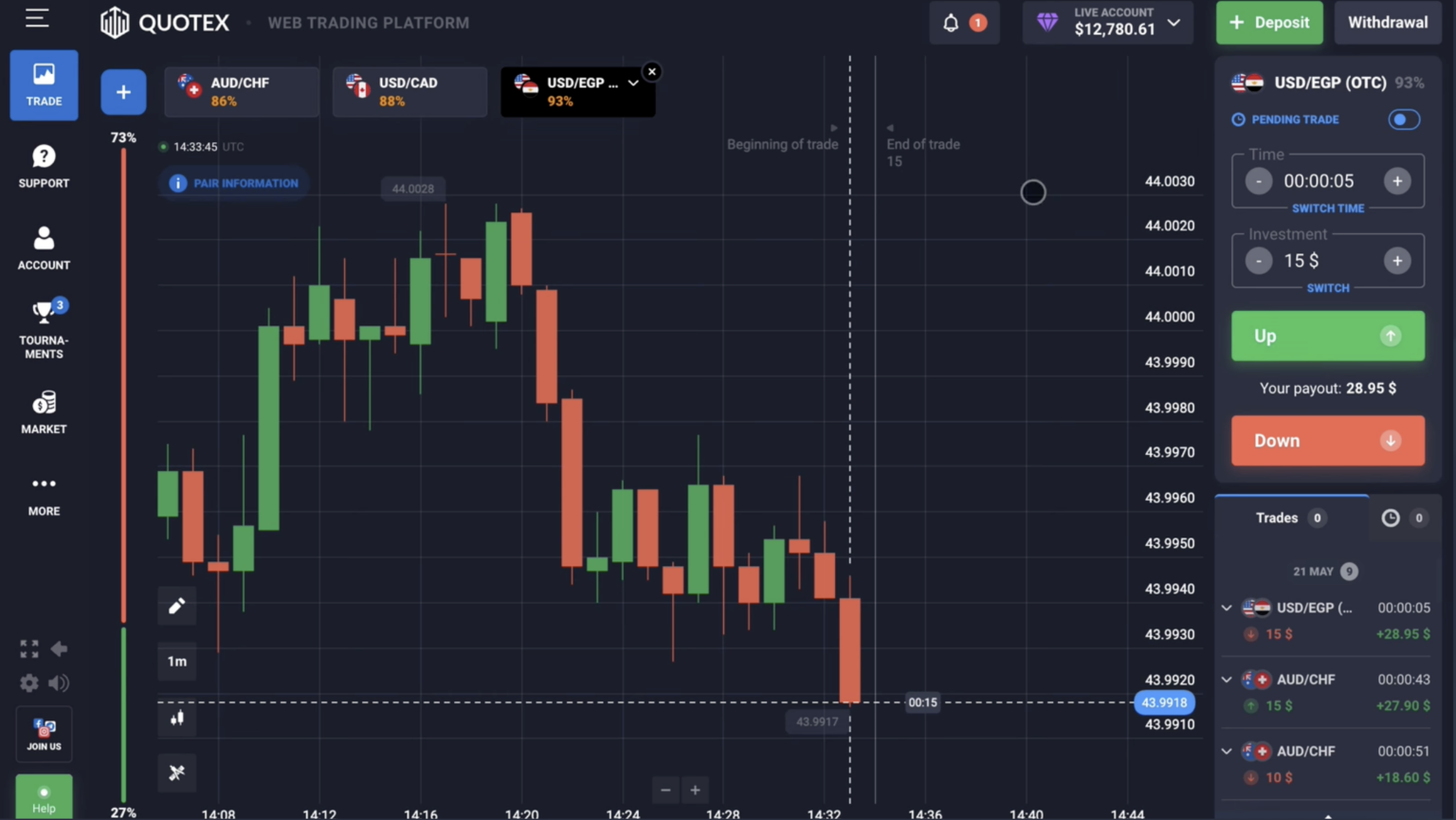
Quotex นำเสนอแอปซื้อขายบนมือถือฟรีบน iOS และ Android พร้อมฟีเจอร์ที่เทียบเท่ากับแพลตฟอร์มเว็บ: กราฟสด, สินทรัพย์ที่ซื้อขายได้ทั้งหมดกว่า 100 รายการ, ขั้นตอนการฝาก/ถอนเงิน, การเข้าสู่ระบบ 2FA และการซื้อขายคู่ OTC ทุกวันตลอด 24 ชั่วโมง ติดตั้งจาก Google Play, App Store หรือใช้ PWA (Progressive Web App) โดยการเพิ่มเว็บไซต์ลงในหน้าจอหลักของคุณ การซื้อขายขั้นต่ำที่เหมือนกัน $1 และการจ่ายเงิน 85-95% เป็นแพลตฟอร์มเว็บ
เหตุใดจึงต้องใช้แอพมือถือ
แอป Quotex สร้างขึ้นสำหรับเทรดเดอร์ที่ชื่นชอบการซื้อขายระหว่างเดินทางหรือผู้ที่ไม่สามารถเข้าถึงเดสก์ท็อปได้ตลอดเวลา แอปนี้มีการดำเนินการที่ต่ำกว่า 100 มิลลิวินาที เช่นเดียวกับแพลตฟอร์มเว็บ รองรับสินทรัพย์ทุกประเภท รวมถึงคู่ OTC สำหรับการซื้อขายในช่วงสุดสัปดาห์ และรวมถึงการแจ้งเตือนแบบพุชสำหรับผลลัพธ์การซื้อขายและการแจ้งเตือนสัญญาณ คุณสมบัติเฉพาะบนมือถือ: การเข้าสู่ระบบด้วยชีวมาตร (Face ID, ลายนิ้วมือ), การดำเนินการซื้อขายด้วยการแตะเพียงครั้งเดียว และการเข้าถึงแบบออฟไลน์ไปยังภาพวาดกราฟ
ความต้องการของระบบ
| แพลตฟอร์ม | ระบบปฏิบัติการขั้นต่ำ | ที่แนะนำ | พื้นที่จัดเก็บ | แรม |
|---|---|---|---|---|
| iOS (iPhone) | iOS 12.0 | iOS 15+ | 150 MB | 2 GB+ |
| iOS (iPad) | iPadOS 12.0 | iPadOS 15+ | 150 MB | 2 GB+ |
| Android phone | Android 5.0 Lollipop | Android 9.0+ | 120 MB | 2 GB+ |
| Android tablet | Android 5.0 | Android 9.0+ | 120 MB | 3 GB+ |
| PWA (any browser) | Modern browser | Chrome/Safari latest | minimal | 1 GB+ |
Install on iOS (iPhone/iPad)
- Step 1: Open the App Store on your device
- Step 2: Search for 'Quotex' or visit quotex.vg/app for direct link
- Step 3: Tap 'Get' — Face ID or password confirms install
- Step 4: Open the app from your home screen
- Step 5: Log in with email + password (or use Google/Apple OAuth for faster login)
- Step 6: Optionally enable Face ID for instant access on future launches
Install on Android
- Step 1: Open Google Play Store
- Step 2: Search 'Quotex Trading' or use quotex.vg/app link
- Step 3: Tap 'Install' — Play Protect verifies the app
- Step 4: Open the app from your app drawer
- Step 5: Log in or sign up directly in the app
- Step 6: Enable fingerprint or PIN unlock for security
PWA Alternative (No App Store Install)
If you prefer not to install from app stores, Quotex works as a Progressive Web App. On any modern smartphone browser, visit quotex.vg and tap 'Add to Home Screen' from the browser menu. The PWA appears as an app icon, opens full-screen, and behaves like a native app — including offline charts and push notifications (where browser allows). PWA is recommended for users in jurisdictions where the app stores have removed the Quotex app.
Mobile vs Web — Feature Comparison
| Feature | Mobile App | Web Platform | PWA |
|---|---|---|---|
| Live charts | ✓ Full | ✓ Full | ✓ Full |
| All 100+ assets | ✓ | ✓ | ✓ |
| Indicators (RSI, MACD, etc) | Top 20 popular | All 40+ | Top 20 |
| Chart drawing tools | Basic | Advanced | Basic |
| Multi-monitor support | — | ✓ | — |
| Biometric login | ✓ Face/Touch ID | — | Browser-dependent |
| Push notifications | ✓ | Browser permission | Browser-dependent |
| Deposit/withdrawal | ✓ | ✓ | ✓ |
| 2FA support | ✓ | ✓ | ✓ |
Trading on Mobile — Tips
- Use a stable WiFi connection — cellular can cause execution delays during volatile market
- Enable biometric login — Face ID/fingerprint adds security without slowing access
- Set up push notifications for trade outcomes — critical for short-expiry strategies
- Use landscape orientation for charts — easier to read patterns
- Disable phone vibration during active trading — prevents accidental finger taps
- Keep app updated — performance and security fixes ship monthly
Frequently Asked Questions
Is the Quotex app free?
Yes, free to download and use. No subscription required. You only need a funded account ($10 minimum) to trade real money — demo trading is also free.
Does the app work on iPad and Android tablets?
Yes — both iOS and Android tablets are supported. The interface adapts to larger screens for better chart reading.
Can I use the same account on app and web?
Yes. One Quotex account works across iOS, Android, web, and PWA. Trades sync in real-time.
What if the Quotex app is removed from my country's app store?
Use the PWA (Progressive Web App) — visit quotex.vg on your phone, tap 'Add to Home Screen'. Same functionality, no app store needed.
Is the mobile app secure?
Yes — TLS 1.3 encryption, optional biometric authentication, 2FA support. Same security architecture as the web platform.
Why does the app ask for permissions?
Camera (for KYC selfie), notifications (for trade alerts), biometric (for Face/Touch ID). Network access is required for trading. No microphone or contacts access.
Quotex
Disclosure: Sign-up links on this page may earn us a commission at no extra cost to you. This does not affect the editorial accuracy of our content — payouts, methods, and platform features are reported as observed.